SurfacesSurfaces
ambient:沒有被燈光照射的物體表面所呈現的顏色。(定義RGB顏色)
例:在物體不受光面呈黃色光則定義ambient 1 1 0
specular:物體本身的顏色受到光後反射出的顏色。(定義RGB顏色)
例:反光所混合出的顏色為75%的白色光則定義specular .75 .75 .75
shine pow:決定當光照射在物體表面所反射的光點(specular spot)有多大,愈大 ,物體所呈現的光滑度愈好,而反光點的顏色取決於specular的設定。
transparent r g b:此參數決定物體有多透明,當設定RGB為0 0 0時,物 體為實心不透明狀態,為1 1 1時,物體為全透明狀態, 若是1 0 0時,表示只有紅色光可100%穿透物體,其它則 無法穿透。
ior num:此參數決定折射率,因有不同的介質或材質而有不同的折射率,因為
當光線由空氣投射到物體�堙A若物體本身為有透明性時,就會產生折射
。例如:glass玻璃的ior值約在1.1至1.3之間。
fuzz magnitude:此參數可產生毛細狀的現像,會有細細的毛狀細絲,值域約在
0至1之間 。
no_antialias:下此參數可消除鋸齒狀的現像,使物體的邊緣看起來更圓滑。
Bump mapping
一個簡單的有波動的範例:
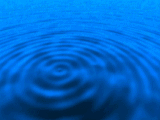 bump {
wave {
center 1 2 3
wavlength 2
amplitude 0.2
damping 0.9 // 預設值為 1.0
phase 0.0 // 預設值為 0.0
}
}
Textured surfaces
 surface {
Image Textures圖片材質
材質試驗範例..........
    #include color.bc


    // 影像處理工作坊(整體環境設定)


    studio   {

             from  6  13  3.5

             at   0 0 3

             up   0 0 1

             angle   40

             res   320 240

             antialias   adaptive

             threshold   4

             aspect   1.3333

             background   black

    }


    // 光源設定:點光源分別從右前方,和右後方照射物體


    light   {

            type   point

            falloff   1

            position   8  6  5

            color   12 12 12

    }


    light   {

            type   point

            falloff   1

            position   3  -6  6

           color   10  10   10

    }


    //   設定一個桌面放置物體和襯托物體


    surf   { diff   white  }

    ring   { center  0 0 0  normal  0 0 1  radius  100  }


    //    surface


    // 材質表面設定:這部份也就是放在材質試驗表格的材質設定


    //    pattern sample


    //  我們使用三個基本元件,分別是圓柱體、正方體、圓球,


    //  來顯示出同一種材質在不同形狀的物體有何不同的表現。


    #include cone.BO


    #include block.BO


    #include pole.BO


       由於在材質試驗時,都使用相同的三個物體,因此我們將


   此三個物體作好成為三個 .BO ,以方便日後試驗中不需重覆


   撰寫,只要下 #include XXXX.BO 在 surface 設定之後即可。


   下面列出此三個物體 (.BO) 的內容 :


   ▲ CONE.BO


      為一個半徑 1.25 單位的圓球


       sphere {

              center 3.5 0 1.25

              radius 1.25

       }


   ▲ BOLCK.BO


      定義出正方體的六個面,長和寬都為 2 單位


       polygon   { points   4

               vertex   1 1 0

               vertex   1 1 2

               vertex   1 -1 2

               vertex   1 -1 0

       }

       polygon   { points   4

               vertex   -1 1 0

               vertex   -1 1 2

               vertex   -1 -1 2

               vertex   -1 -1 0

       }

       polygon   { points   4

               vertex    1 1 0

               vertex    1 1 2

               vertex   -1 1 2

               vertex   -1 1 0

       }

       polygon   { points   4

               vertex    1 -1 0

               vertex    1 -1 2

               vertex   -1 -1 2

               vertex   -1 -1 0

       }

       polygon   { points   4

               vertex    1  1 2

               vertex    1 -1 2

               vertex   -1 -1 2

               vertex   -1  1 2

       }

       polygon   { points   4

               vertex    1  1 0

               vertex    1 -1 0

               vertex   -1 -1 0

               vertex   -1  1 0

       }


   ▲ POLE.BO


      定義出一個圓筒加上兩邊的圓蓋,就成為一空心的圓柱體


       cone {

              base -4 0 0 base_radius 1.25

              apex -4 0 2 apex_radius 1.25

       }


       ring {

              center -4 0 0

              radius 1.25

              normal 0  0 1

             }


       ring {

              center -4 0 2

              radius 1.25

              normal 0  0 1

             }