 教學範例《11》… Shape的變化_1

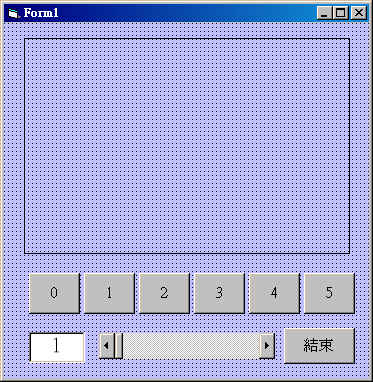
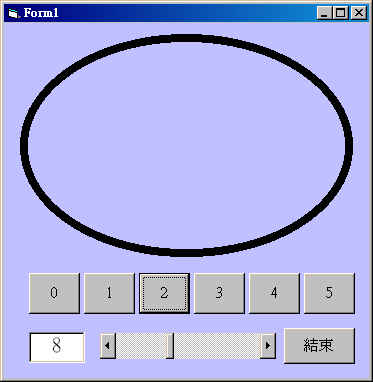
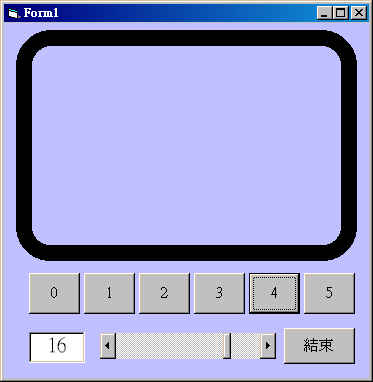
 表單設計與程式執行:
| 表單設計 |
|---|
 |
| 執行畫面 |
|
控制項屬性資料:
Form1 : 調整表單視窗的大小,使Width和Height合乎適當大小。 Shape1 : Shape = 1,矩形。 Hscroll1: Max = 20; Min = 1 Text1 : Text = "1" Command1(0):Caption = "0" Command1(1):Caption = "1" Command1(2):Caption = "2" Command1(3):Caption = "3" Command1(4):Caption = "4" Command1(5):Caption = "5" |
程式碼列表:
Private Sub Command1_Click(Index As Integer) Shape1.Shape = Index End Sub Private Sub Command2_Click() End End Sub Private Sub HScroll1_Change() Text1.Text = HScroll1.Value Shape1.BorderWidth = HScroll1.Value End Sub |
程式解說:
|
 學習重點:
˙學會設計Command控制項陣列,依Index值來繪出Shape圖形。
˙瞭解Shape屬性的設定與結果(Width,Shape,FillColor,FillStyle)。
學習重點:
˙學會設計Command控制項陣列,依Index值來繪出Shape圖形。
˙瞭解Shape屬性的設定與結果(Width,Shape,FillColor,FillStyle)。